
SSuite Office Software
Providers of Safe and Trusted Free Office Software with Pure Visual Simplicity
SSuite Office Excalibur Release


Professional and comprehensive free office suite for students, home users, and office workers...

Minimum System Requirements:
- 1024 x 768 Display Size
- Windows XP / 7 / 8 / 10 and Beyond - 32bit / 64bit
 This is not your run-of-the-mill office suite, it's a productivity and user-experience upgrade!
 This free office suite introduces some new innovative concepts in interface design and user-friendly application interaction. You get instant system access, top class application design and a cleaner desktop to name a few. You also don't even have a need for .NET or even JAVA to be installed. This will save you a lot of hard drive space and precious computer resources. An online edition is also available!
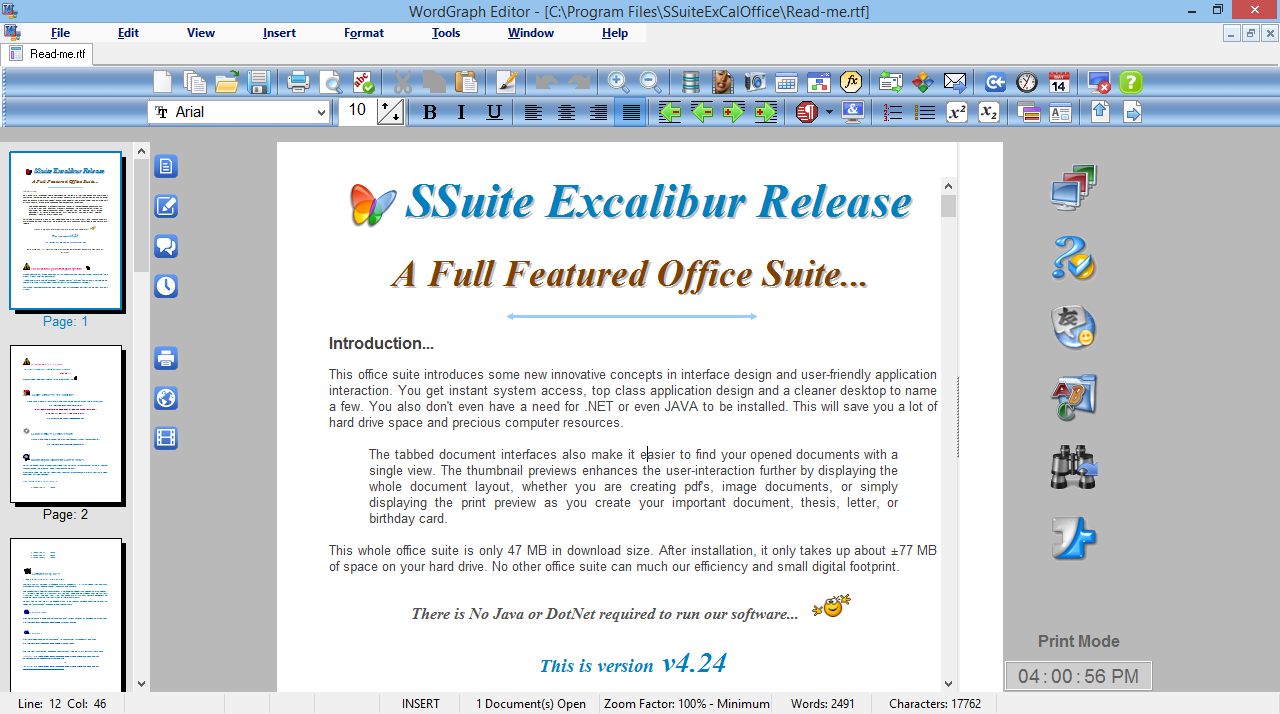
The tabbed document interfaces also make it easier to find your opened documents with a single view. The thumbnail previews enhances the user-interaction further by displaying the whole document layout, whether you are creating pdf's, image documents, or simply displaying the print preview as you create your important document, thesis, letter, or birthday card.
SSuite Accel Spreadsheet
 This powerful spreadsheet has all the tools you need to calculate, analyse, summarise, and present your data in numerical reports or colourful graphics. A fully-integrated help system makes entering complex formulas a breeze. Pull in external data using ODBC, sort it, and produce subtotals and statistical analyses. Accel has also ODBC connectivity to query any database on your PC through SQL.
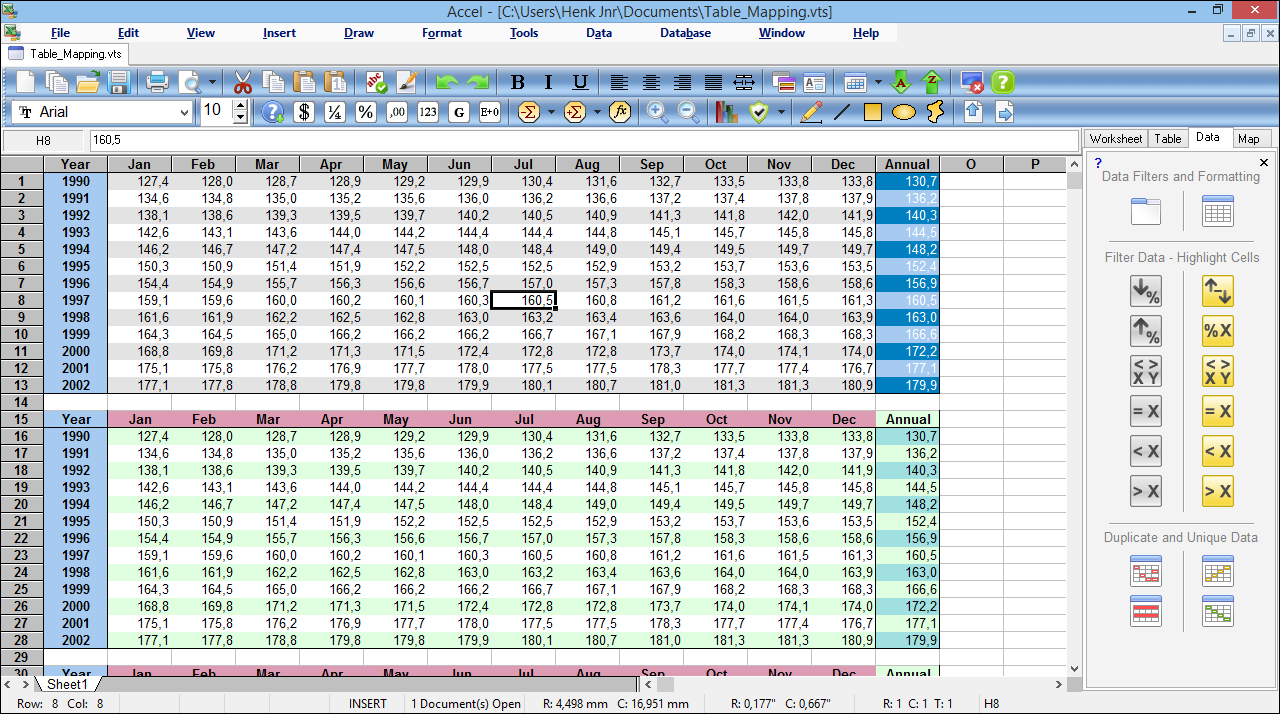
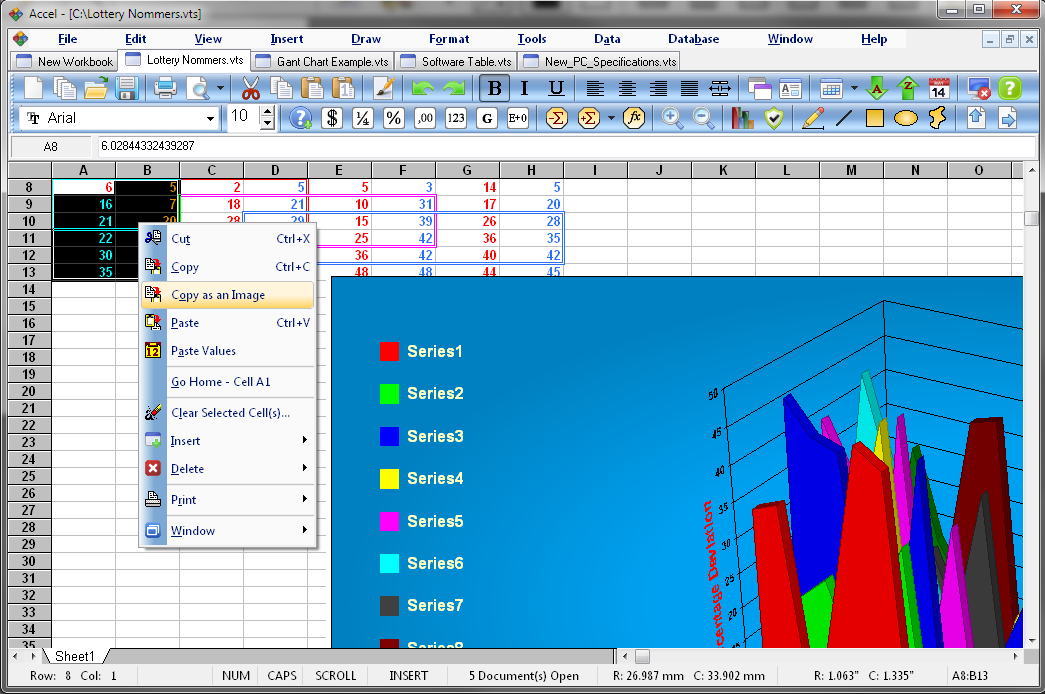
Use the chart wizard to select from eight or more categories of 2-D and 3-D charts including line, area, column, pie, XY, stock and with dozens of variants. Whether you are producing financial reports or managing personal expenses, Accel gives you more efficiency and flexibility to accomplish your goals.
With a few mouse-clicks, you can reorganize your spreadsheet to show or hide certain data ranges, or to format ranges and tables according to special conditions, or to quickly calculate subtotals and totals. Accel lets you present spreadsheet data in dynamic charts that update automatically when the data changes. Document compatibility with MS Office - { vts, txt, xls, csv }
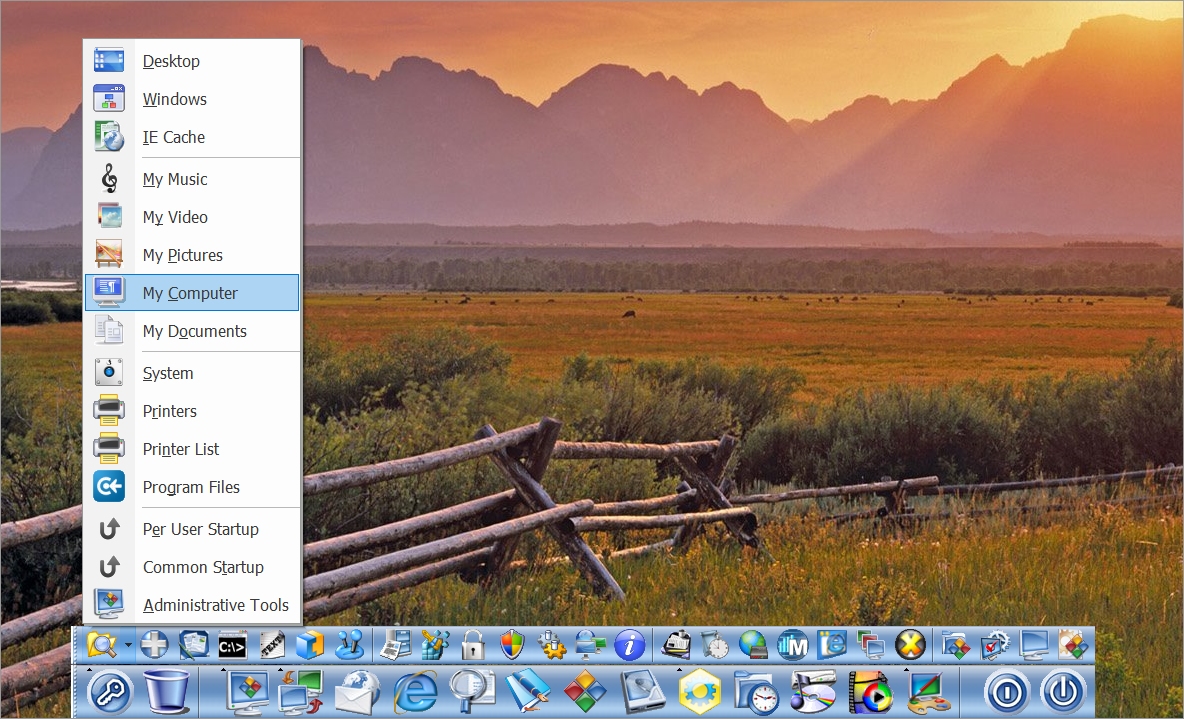
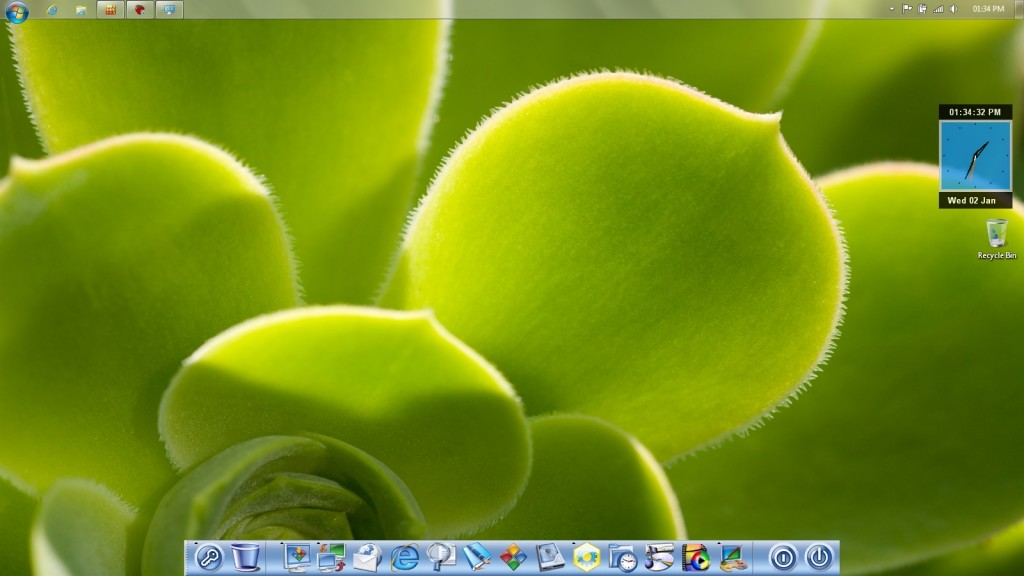

WordGraph is a free and very useful alternative to Microsoft's Word, OpenOffice's Writer, or anything else out there claiming to be the latest and greatest. You don't even have a need for .NET or even JAVA to be installed. This will save you a lot of hard drive space and precious computer resources.
Use WordGraph for anything from writing a quick letter to producing an entire book with embedded illustrations, tables of contents, indexes, and bibliographies. WordGraph is a complete and powerful software solution for creating, editing and viewing various types of documents. You can create simple or highly structured documents include graphics, tables, charts, and insert spreadsheets you created with Accel.
A number of available features give you a fine degree of control over the formatting of text, pages, sections of documents, and also entire documents in WordGraph. You may also save your documents in a variety of industry standard formats and even export them to pdf, jpg, bmp, png, gif, and our own presentation format ssp. Document compatibility with MS Office - { rtf, doc, txt, rtc }
.:. WordGraph Online Edition .:.
Create PDFs without any additional software. Use the built-in PDF capabilities of WordGraph to share your work easily and with everyone! Adobe Acrobat is NOT required to create these handy files. Now it's so easy to turn your work documents, rich text letters, and presentation files into PDFs.
Designed to give you the finest document-formatting tools, WordGraph helps you organize and write your documents more efficiently and much faster with the help of our new and more colourful interfaces that are no more than three-levels deep.
WordGraph is everything you would expect from a professional word processing application. It is fast, reliable, pleasant to the eyes and senses, simply everything you need to manage your everyday correspondence. Useful features and functions assist you in writing serial letters, printing envelopes, or even help in finding spelling mistakes in several different languages{There are seven dictionaries included - American, British, Dutch, French, German, Italian, and Spanish}.
Click Here for some light reading to astound advanced users or curious readers... 🤔 👀
 Installation Instructions:Version History / Change Log

- Before running any software applications, please read the "Read Me" document first!
- Make sure you have a default printer selected in Windows 10/11... Click here for instructions
 24.45 MB in Download Size


Hybrid Installation and Software Upgrade...
Upsize your existing installation of SSuite Excalibur to match your screen size for better viewing and user-interaction.

Just download the appropriate Office Suite update zip-file that will fit your screen the best:
Simply unzip, copy, and paste the new application files over the existing files in the installation folder of SSuite Excalibur:
C:\Program Files\SSuiteExcaliburOffice\ Or C:\Program Files (x86)\SSuiteExcaliburOffice\
Special Administrator Edition for Windows 7 and beyond...
Now you can install our most comprehensive and professional SSuite Excalibur Desktop Office suite without having all those annoying and irritating Windows "Administrator" popups when running applications from the PC Mac Dock on your Windows desktop!
You will need to have selected, on installing this office suite, to run PC Mac Dock on Windows startup and therefor allow it to run with "Administrator Rights". This will then prevent Windows from displaying popups when running our applications.
When installing this office suite on a Laptop/Notebook, please Click Here to ensure proper startup of the PC Mac Dock!
26 MB in Download Size
More Information...
Special Features in SSuite Office - Excalibur:
- Template libraries
- New custom fill lists
- Thumbnail previews
- Direct online cloud access
- New Custom Spell Checker
- Tabbed document interfaces
- Customization options for the PC Mac dock
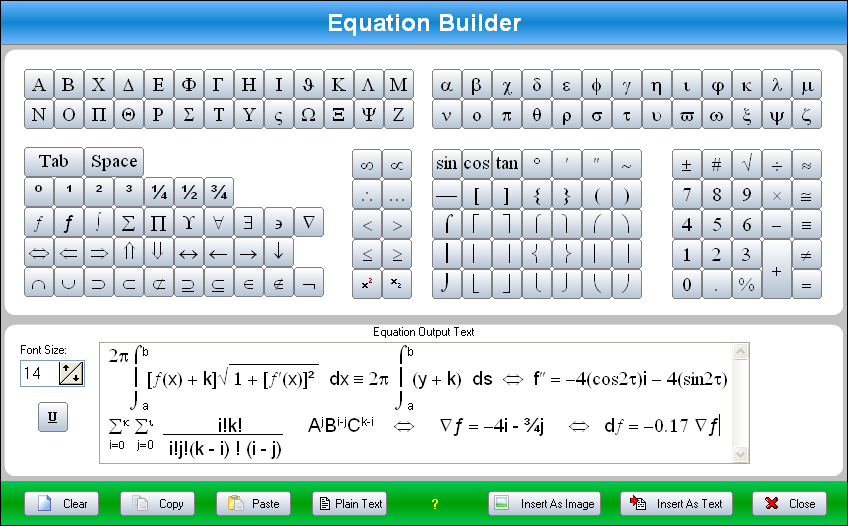
- Create WordArt and Math Equations / Expressions in WordGraph
- Transparency options for main office applications through the Mac dock
- Export your documents to PDF, PNG, GIF, JPG, BMP, EMF, TIFF and SSP
- Enhanced favourites folder and password login keeper in our Netsurfer web browser
- Drag and Drop any content directly from other text applications and even web browsers
- Create presentations in WordGraph - { Viewable in any web browser and EZPhoto album viewer }
* Now also Multi-Display Compatible for power users. { Dual / Multi-Monitors }
Something Extra Special - Recent Documents Holder:
The "Recent Documents Holder" now has an added peer-to-peer file transfer portal with Drag 'n Drop functionality. This has been created to ease data transfer between computer systems. You no longer need to attach a document or file to an email, just select it out of the recent document's list or pick up a few files from the windows explorer window, and Drag 'n Drop it onto the drop zone with the destination I.P. address or host name entered at the top. That is all you need to do... all your files or documents will then be transferred to the destination computer system that is also running the same application.
Runs on any LAN network or Peer-2-Peer over the internet...
Now also includes security apps and NetVine LAN Suite for enhanced network collaboration.
Resources: Web Office Tutorials The News Web-Links Desktop Wallpaper SSuite Press Logos Free Apps
Extra Info: About Us Awards Reviews Testimonials Installation Guide Supported Document Formats Service Packs
 SSuite Office Software


Privacy Policy Contact Us Legal Copyright (c) 2003 - 2037 Van Loo Software(TM) - Thank You For Visiting. All Rights Reserved.
Trade Marks, Logos, and Registered Names belong to their Respective Owners. This website is Touch-Device friendly.
Go Green Software.